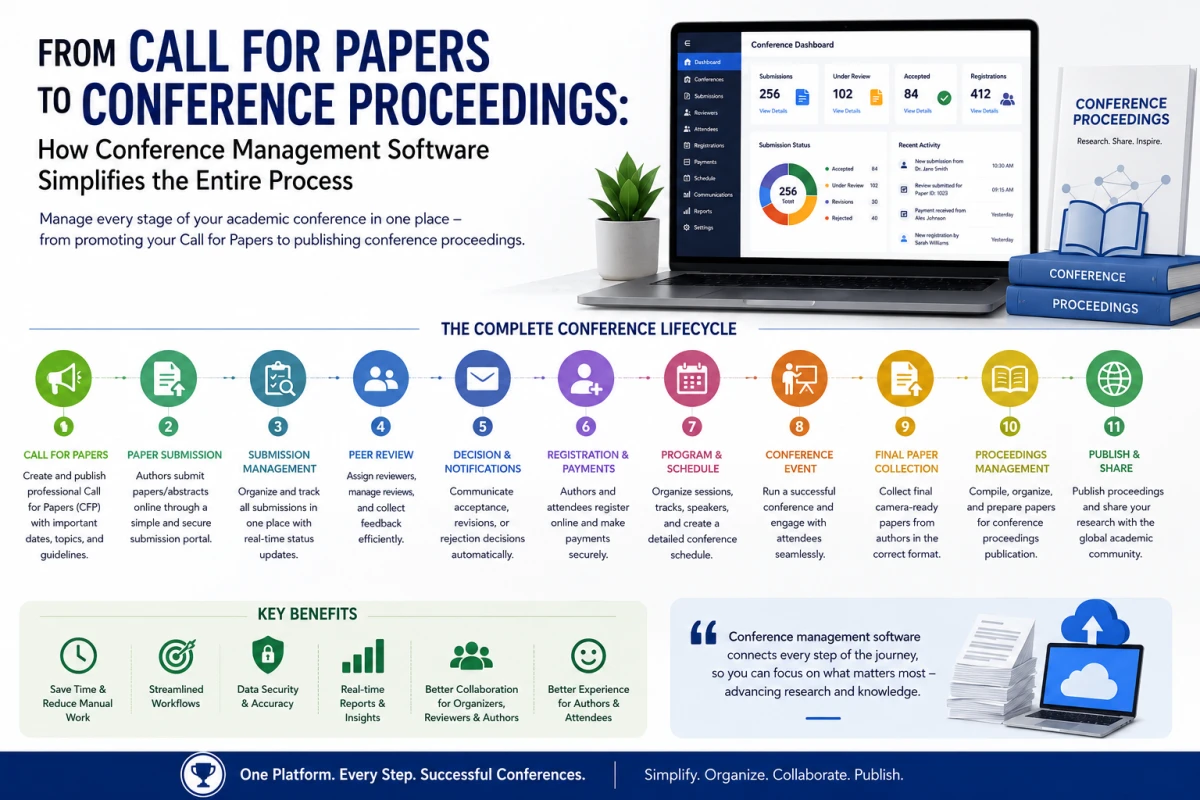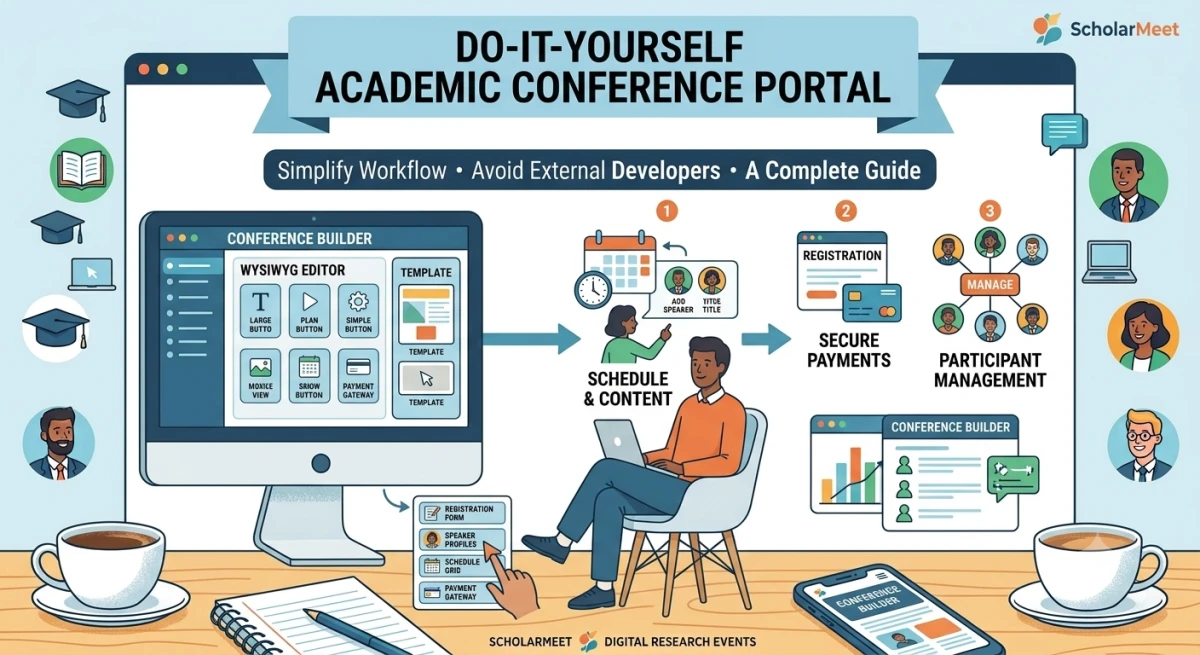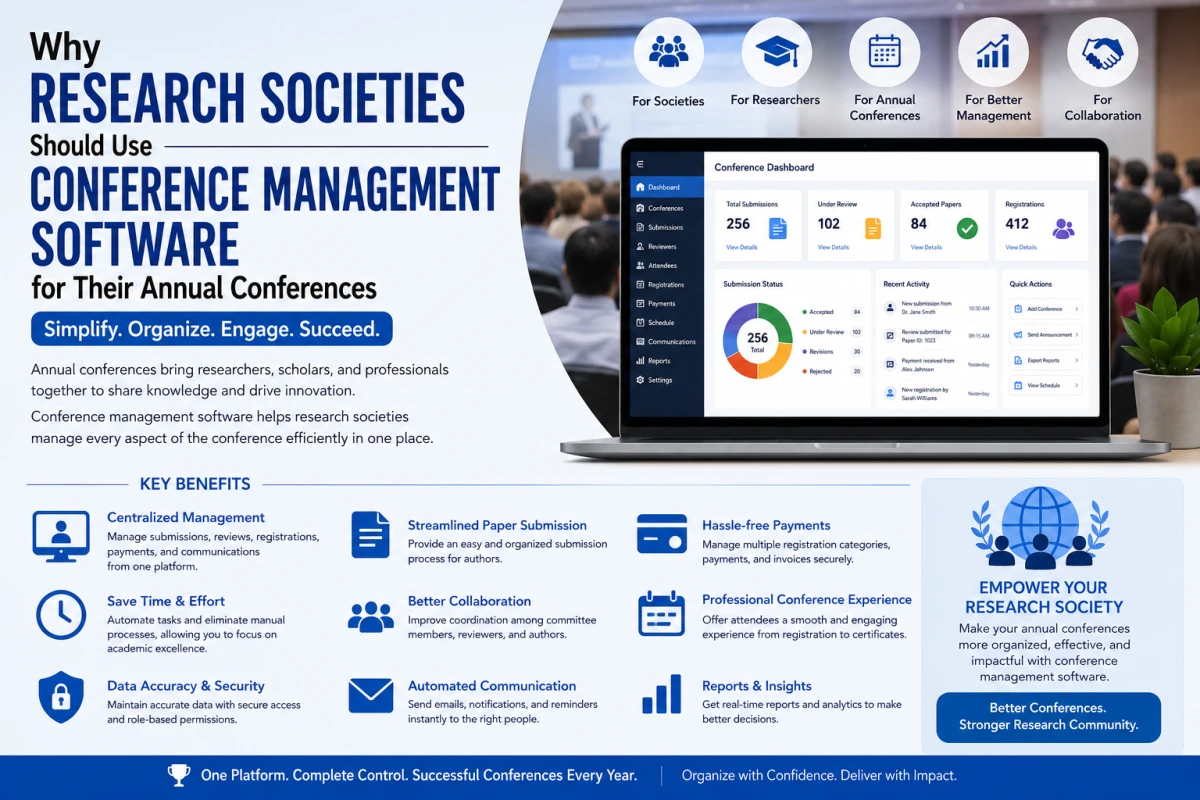
From call for papers and research paper submission to peer review, registration, scheduling, proceedings, and post-conference activities, conference management software helps universities and research institutes manage the complete academic conference lifecycle.
What Is Academic Conference Management?
Academic conference management is the process of planning, organizing, administering, and delivering a research conference. It includes both academic workflows and event-management activities.
Academic conference workflows may include:
- Call for papers
- Abstract submission
- Research paper submission
- Author management
- Reviewer management
- Peer review
- Reviewer assignment
- Paper evaluation
- Acceptance and rejection decisions
- Revision and camera-ready submission
- Conference proceedings
Event-management activities may include:
- Conference registration
- Participant management
- Speaker management
- Session planning
- Program scheduling
- Notifications and communication
- Attendance management
- Certificates
- Post-conference reporting
Modern academic conference platforms connect these stages instead of treating them as completely separate processes. This creates a more structured workflow from paper submission through review, registration, presentation, and proceedings. For a broader introduction, see what is a conference management system.
Why Managing an Academic Conference Can Become Difficult
A small academic workshop may be manageable with email and spreadsheets. However, managing a large research conference becomes increasingly difficult as the number of papers, reviewers, authors, sessions, and participants increases.
For example, imagine a conference receives:
- 800 research papers
- 1,500 authors
- 200 reviewers
- Multiple research tracks
- Several parallel sessions
- Hundreds of registrations
The organizing committee now needs to track submissions, reviewers, evaluations, decisions, registrations, presentations, and final papers.
Managing all of these activities through disconnected spreadsheets, email threads, shared folders, and separate systems can create unnecessary administrative work. Conference management software provides a structured environment for connecting these workflows.
The Academic Conference Lifecycle
A useful way to understand conference management software is to look at the complete academic conference lifecycle:
Plan → Publish → Submit → Review → Decide → Register → Schedule → Present → Publish Proceedings → Archive
Each stage produces information that can be used by the next stage. For example:
Paper Submission → Peer Review → Acceptance Decision → Registration → Final Paper → Conference Program → Proceedings
A well-designed conference management system keeps these stages connected.
Step 1: Plan the Conference
Before opening submissions, the organizing committee should define the structure and objectives of the conference. Important planning decisions include:
- Conference title
- Conference theme
- Research areas
- Conference tracks
- Submission types
- Submission deadline
- Review deadline
- Notification date
- Registration deadline
- Conference dates
- Presentation format
- Proceedings or publication plan
Create a Conference Timeline
| Stage | Example Activity |
|---|---|
| Conference planning | Define theme, tracks, dates, and committees |
| Call for papers | Publish submission guidelines |
| Submission | Collect papers and abstracts |
| Review | Assign reviewers and collect evaluations |
| Decision | Accept, reject, or request revision |
| Registration | Register authors and participants |
| Final submission | Collect camera-ready papers |
| Program | Assign papers to sessions |
| Conference | Manage presentations and attendance |
| Proceedings | Prepare and publish final papers |
| Post-conference | Archive information and prepare reports |
Step 2: Publish the Call for Papers
The Call for Papers (CFP) is one of the most important public-facing elements of an academic conference. A useful CFP should clearly explain:
- Conference topic
- Research areas
- Submission types
- Paper requirements
- Important dates
- Review process
- Presentation format
- Registration requirements
- Publication information
- Conference contact information
The CFP should help researchers quickly understand whether the conference is relevant to their research area. A conference management platform can connect the published CFP with the online submission workflow, making it easier for researchers to move from conference discovery to paper submission. Organizers can create and publish a conference with its call for papers in one place.
Step 3: Collect Research Paper Submissions
Research paper submission is one of the core workflows of an academic conference. A structured online submission system allows authors to submit research papers and abstracts without relying on individual email attachments. Read more about managing research paper submissions.
Depending on the conference configuration, organizers may collect:
- Paper title
- Abstract
- Keywords
- Author names
- Institutional affiliations
- Corresponding author information
- Research track
- Submission type
- Manuscript files
- Supporting documents
Structured submission records make it easier to move papers into the review and decision process.
Step 4: Manage Authors and Submissions
After submissions are received, organizers need a reliable way to track the status of each paper. Useful submission statuses may include:
DraftSubmittedUnder reviewRevision requestedAcceptedRejectedCamera-readyPublished
Organizers may also need to monitor:
- Total number of submissions
- Submissions by research track
- Submissions by author
- Papers awaiting review
- Papers awaiting revision
- Accepted papers
- Rejected papers
Step 5: Organize the Peer-Review Process
Peer review is at the heart of many academic conferences. A typical review workflow looks like:
Submission → Reviewer Assignment → Review → Evaluation → Decision
Conference management software can help organize each stage of this process.
Reviewer Assignment
Organizers may assign papers based on:
- Research expertise
- Subject area
- Conference track
- Reviewer workload
- Conflicts of interest
- Reviewer availability
Track Review Progress
Organizers should be able to monitor:
- Assigned reviews
- Pending reviews
- Completed reviews
- Overdue reviews
Monitoring review progress helps conference committees identify delays before they affect the final decision schedule.
Step 6: Use Blind or Double-Blind Peer Review When Required
Many academic conferences use blinded peer review to reduce the influence of author identity during evaluation. See how a blind peer review system works for a detailed explanation.
Single-Blind Review
In a single-blind review process, the reviewer knows the author's identity, while the author does not know the reviewer's identity.
Double-Blind Review
In double-blind peer review, both the author and reviewer identities are intended to remain anonymous during the review process.
If a conference uses double-blind review, the submission and review workflow should be configured carefully to avoid accidental exposure of identifying information.
Step 7: Evaluate Research Papers and Make Decisions
After reviews are completed, the conference committee evaluates the submissions and makes final decisions according to the conference's academic policy. Possible decisions may include:
AcceptAccept with revisionRejectPoster presentationOral presentationWorkshop presentation
Conference management software can centralize reviewer scores, comments, recommendations, and final decisions. Once decisions are finalized, organizers can communicate the results to authors through structured notification workflows.
Step 8: Send Author Notifications
Communication is an important part of academic conference management. Authors may need updates at several stages. Common notifications include:
- Submission confirmation
- Review status
- Revision requests
- Acceptance notification
- Rejection notification
- Registration information
- Final paper submission reminders
- Presentation schedules
- Conference announcements
Automated notifications can reduce repetitive administrative work and help organizers communicate consistently with authors and reviewers.
Step 9: Manage Revisions and Camera-Ready Papers
Acceptance is not necessarily the end of the research paper workflow. Accepted authors may need to submit a final version of their paper. Authors may need to:
- Address reviewer comments
- Revise the manuscript
- Follow formatting guidelines
- Upload the final version
- Confirm author information
- Provide required publication information
This stage is commonly referred to as the camera-ready submission stage. A strong conference workflow should distinguish between the original review manuscript and the final publication version.
Step 10: Manage Conference Registration
Once papers are accepted, authors and participants may need to register for the conference. Registration management may include:
- Author registration
- Participant registration
- Speaker registration
- Registration categories
- Registration fees
- Payment status
- Invoices
- Receipts
- Certificates
Connecting accepted papers with author registration can help organizers identify which accepted papers have completed the required registration process.
Step 11: Build the Conference Program
Creating the conference program can become complex when an event contains multiple research tracks and parallel sessions. A conference may include:
Keynote sessionsTechnical sessionsParallel sessionsPoster sessionsWorkshopsTutorialsOral presentationsPanel discussions
Each accepted paper may need to be assigned to a specific session, date, time, room, and presentation format. A structured program-management workflow makes these relationships easier to manage.
Step 12: Manage Speakers and Presentations
After creating the program, organizers need to communicate presentation information to authors and speakers. Presentation information may include:
- Presentation title
- Speaker name
- Session
- Date and time
- Room
- Presentation format
Track → Session → Paper → Presenter → Time → Room
Keeping the presentation information connected to the accepted paper can reduce duplicate data entry and make program updates easier.
Step 13: Prepare Conference Proceedings
Conference proceedings represent an important part of the scholarly output of an academic event. A typical proceedings workflow may include:
- Identify accepted papers
- Collect final manuscripts
- Check formatting requirements
- Confirm author information
- Collect required permissions
- Organize papers
- Prepare metadata
- Produce the proceedings
- Publish or archive the final record
Conference proceedings should be planned as part of the conference lifecycle rather than treated as an activity that starts after the event.
Important: conference management and indexing are not the same thing. A conference management platform does not automatically guarantee indexing in services such as Scopus, Web of Science, or other scholarly databases. Organizers should verify the requirements of the relevant publisher or indexing service.
Step 14: Manage the Conference Event
During the conference itself, organizers may need to manage:
- Participant attendance
- Session changes
- Speaker information
- Presentation schedules
- Conference announcements
- Certificates
- Attendance records
- On-site communication
Hybrid and online conferences may also require additional workflows for virtual sessions and online presentations.
Step 15: Complete Post-Conference Activities
Conference management does not end when the final presentation finishes. Post-conference activities may include:
- Proceedings publication
- Certificates
- Attendance reports
- Participant feedback
- Final conference statistics
- Conference information archiving
- Publishing permitted materials
- Preparing reports
- Planning the next edition
Maintaining historical conference records can also help organizations plan future editions more efficiently.
Conference Management Software vs. Spreadsheets
Spreadsheets can be useful for basic administrative tasks. However, they become harder to manage when paper submission, peer review, registration, scheduling, and proceedings are interconnected.
| Requirement | Spreadsheets + Email | Conference Management Software |
|---|---|---|
| Paper submission | Manual collection | Structured submission workflow |
| Author management | Multiple files | Centralized records |
| Reviewer assignment | Manual process | Workflow-based management |
| Blind review | Manual controls | Review workflow |
| Review tracking | Spreadsheet updates | Status tracking |
| Decision management | Manual | Centralized workflow |
| Author notifications | Individual emails | Automated communication |
| Registration | Separate tools | Integrated or connected workflow |
| Scheduling | Documents and spreadsheets | Program management |
| Proceedings | Manual compilation | Structured workflow |
| Reporting | Manual data collection | Centralized information |
The biggest advantage is not simply replacing Excel. The real benefit is connecting the different stages of the academic conference lifecycle.
What Features Should You Look for in Conference Management Software?
Universities and research organizations should evaluate conference management software based on their actual conference workflow. For a feature-by-feature breakdown, see the 10 essential features of a modern conference management system.
1. Research Paper Submission
Check whether the system supports:
- Abstract submissions
- Full research papers
- Multiple submission types
- File uploads
- Research tracks
- Authors and affiliations
- Submission deadlines
2. Peer Review
Look for:
- Reviewer assignment
- Review forms
- Review scores
- Reviewer comments
- Blind review
- Double-blind review
- Conflict-of-interest handling
- Review status tracking
3. Decision Management
The system should allow conference committees to manage acceptance, rejection, revision, and presentation decisions.
4. Conference Registration
Consider whether the platform supports:
- Multiple registration categories
- Participant records
- Payment workflows
- Invoices
- Receipts
- Attendance
5. Program and Scheduling
Look for support for:
- Sessions
- Tracks
- Speakers
- Rooms
- Presentation assignments
- Multi-track schedules
6. Proceedings Management
Evaluate support for:
- Final paper collection
- Camera-ready submissions
- Author metadata
- Paper organization
- Proceedings preparation
- Publication records
7. Communication
Check whether the system can send relevant notifications and reminders to authors, reviewers, speakers, and participants.
8. Reporting
Useful reports may include:
- Submission statistics
- Review progress
- Acceptance rates
- Registration statistics
- Attendance
- Payment status
9. Security and Access Control
Academic conferences may involve unpublished research papers and personal information. Institutions should therefore evaluate user roles, access permissions, data protection, authentication, secure file handling, and privacy practices.
How ScholarMeet Can Help Manage Academic Conferences
ScholarMeet is an online platform designed around academic and research conference workflows. It provides an environment for universities, colleges, research institutes, research societies, and conference organizers to create, publish, and manage academic conferences online.
Depending on the conference configuration, ScholarMeet can support workflows such as:
- Conference creation
- Conference publishing
- Research paper submission
- Author management
- Reviewer workflows
- Peer review
- Conference registration
- Program management
- Conference communication
- Proceedings-related workflows
ScholarMeet also connects conference discovery with conference management, helping researchers discover academic conferences while providing organizers with tools for managing their conference workflows. View an example conference page →
The important concept is that an academic conference is not simply an event. It is a structured research workflow. A useful conference management platform should therefore connect the research paper, reviewer, decision, registration, presentation, and proceedings stages.
How to Choose the Right Conference Management System
Before selecting conference management software, create a workflow map for your conference. A typical workflow may look like:
Call for Papers → Paper Submission → Reviewer Assignment → Peer Review → Decision → Author Revision → Registration → Program Scheduling → Conference Presentation → Final Paper → Proceedings
Then evaluate whether the conference management system supports each stage. For a full selection guide, read how to choose the best conference management tool.
Questions for the Conference Committee
- Can authors submit research papers directly?
- Can we manage multiple research tracks?
- Can we assign reviewers to papers?
- Does the system support blind or double-blind peer review?
- Can we track pending and overdue reviews?
- Can author notifications be automated?
- Can accepted papers move into the final submission workflow?
- Can we manage conference registration?
- Can we create multi-track conference programs?
- Can we manage proceedings?
- Can conference data be exported?
- Can committee members have different access roles?
- Can the system support future editions of the conference?
Common Mistakes in Academic Conference Management
Using Too Many Disconnected Tools
Using one tool for submissions, another for reviews, another for registration, and another for scheduling can create duplicate data and additional manual work.
Starting Reviewer Assignment Too Late
Reviewer assignment should be planned early because finding appropriate reviewers and completing reviews can take considerable time.
Not Defining Review Criteria
Reviewers should understand how papers will be evaluated before the review process begins.
Treating Registration as the Entire Conference Workflow
Registration is only one part of an academic conference. Paper submission, peer review, decision management, revision, and proceedings are equally important.
Losing the Connection Between Accepted Papers and the Program
Accepted papers should remain connected to their authors, presentation sessions, schedules, and final publication records.
Forgetting the Post-Conference Stage
Proceedings, certificates, reports, archives, and final communications should be considered during the initial conference planning stage.
Academic Conference Management Checklist
Before the Conference
✓ Define the conference theme
✓ Create research tracks
✓ Set important dates
✓ Prepare the call for papers
✓ Configure submission requirements
✓ Define review criteria
✓ Recruit reviewers
✓ Publish conference information
During Submission
✓ Monitor submissions
✓ Verify submission information
✓ Organize authors
✓ Organize papers by track
✓ Prepare reviewer assignments
During Peer Review
✓ Assign reviewers
✓ Monitor review progress
✓ Send reminders
✓ Handle conflicts of interest
✓ Review scores and comments
✓ Make final decisions
After Acceptance
✓ Send decision notifications
✓ Collect revisions
✓ Collect camera-ready papers
✓ Confirm author registration
✓ Build the conference program
✓ Assign sessions and presentation slots
During the Conference
✓ Manage attendance
✓ Coordinate sessions
✓ Communicate schedule changes
✓ Support speakers
✓ Manage certificates
After the Conference
✓ Finalize proceedings
✓ Archive conference information
✓ Prepare reports
✓ Publish permitted materials
✓ Collect feedback
✓ Preserve records for the next conference
Frequently Asked Questions
What is conference management software?
Conference management software is a digital platform used to organize academic and professional conferences. Academic-focused systems can support research paper submission, peer review, reviewer management, decisions, registration, scheduling, communication, and proceedings workflows.
What is an academic conference management system?
An academic conference management system is software designed specifically for research conferences. Unlike general event software, it typically includes academic workflows such as paper submission, peer review, reviewer assignment, acceptance decisions, revisions, and proceedings. Learn more in what is a conference management system.
How does conference management software help universities?
It can centralize conference information and reduce manual work across paper submission, peer review, author communication, registration, scheduling, and proceedings management.
Can conference management software manage research paper submissions?
Yes. Academic conference systems can collect research papers or abstracts, author details, affiliations, keywords, research tracks, and supporting files through structured submission workflows.
Can conference management software support blind peer review?
Many academic conference systems support single-blind and double-blind peer-review workflows. The exact implementation should be checked against the conference's review policy and the software's capabilities.
What is the difference between conference management software and event management software?
Event-management software generally focuses on registrations, attendees, ticketing, and event logistics. Academic conference management software adds research-specific processes such as paper submission, peer review, reviewer assignment, academic decisions, revisions, and proceedings. See BookMyShow vs ScholarMeet for a practical comparison.
Is conference management software better than Excel?
For a very small event, Excel may be sufficient. As submissions, reviewers, authors, registrations, and sessions increase, dedicated conference management software can provide a more connected and manageable workflow.
What is a camera-ready paper?
A camera-ready paper is the final version of an accepted research paper prepared according to the conference's publication and formatting requirements.
What are conference proceedings?
Conference proceedings are a collection of research papers or other scholarly contributions presented at a conference and prepared for publication or archival according to the conference's publication process.
Can one system manage the entire academic conference lifecycle?
Some platforms are designed to cover most or all of the lifecycle, from call for papers and submission through peer review, decisions, registration, scheduling, and proceedings. Institutions should verify the exact capabilities of each platform before selecting one.
How do I choose conference management software for a university?
Start by mapping your conference workflow from call for papers to proceedings. Then evaluate paper submission, peer review, reviewer management, registration, scheduling, communication, reporting, security, and publication requirements against that workflow.
Conclusion
Managing an academic conference requires coordination across many connected activities. From the first call for papers to the final proceedings, organizers need to manage researchers, reviewers, papers, decisions, registrations, sessions, presentations, and publication records.
Conference management software can bring these activities into a structured workflow and reduce dependence on disconnected spreadsheets, email threads, and manual processes.
The most important consideration is not simply how many features a platform has.
The better question is: can the platform support the complete academic conference lifecycle?
For universities, colleges, research institutes, academic departments, and research societies, a well-designed conference management system can provide a more organized approach to managing research conferences — from paper submission and peer review to registration, scheduling, presentation, and proceedings.
Ready to Manage Your Academic Conference?
ScholarMeet is built around this academic conference workflow, helping organizations create, manage, publish, and promote research conferences through an online platform.