
Scholar Meet

How to Organize a Professional Conference Without Hiring a Separate Website Development Team

Launch a professional academic conference website without developers. Handle CFP, paper submission, peer review, registration, and program in one platform

Back to Blog
Aug 04, 2026 ScholarMeet Team 44 views 14 min read

Introduction

Organizing a professional academic conference requires more than choosing a venue and inviting participants. Universities, research institutes, colleges, and conference committees also need a professional online presence where researchers can find conference information, submit papers, register, view the program, and receive important updates.

Traditionally, organizations may hire a separate website development team to design and maintain a conference website. For many academic conferences, however, this can add unnecessary development time, coordination, maintenance, and cost.

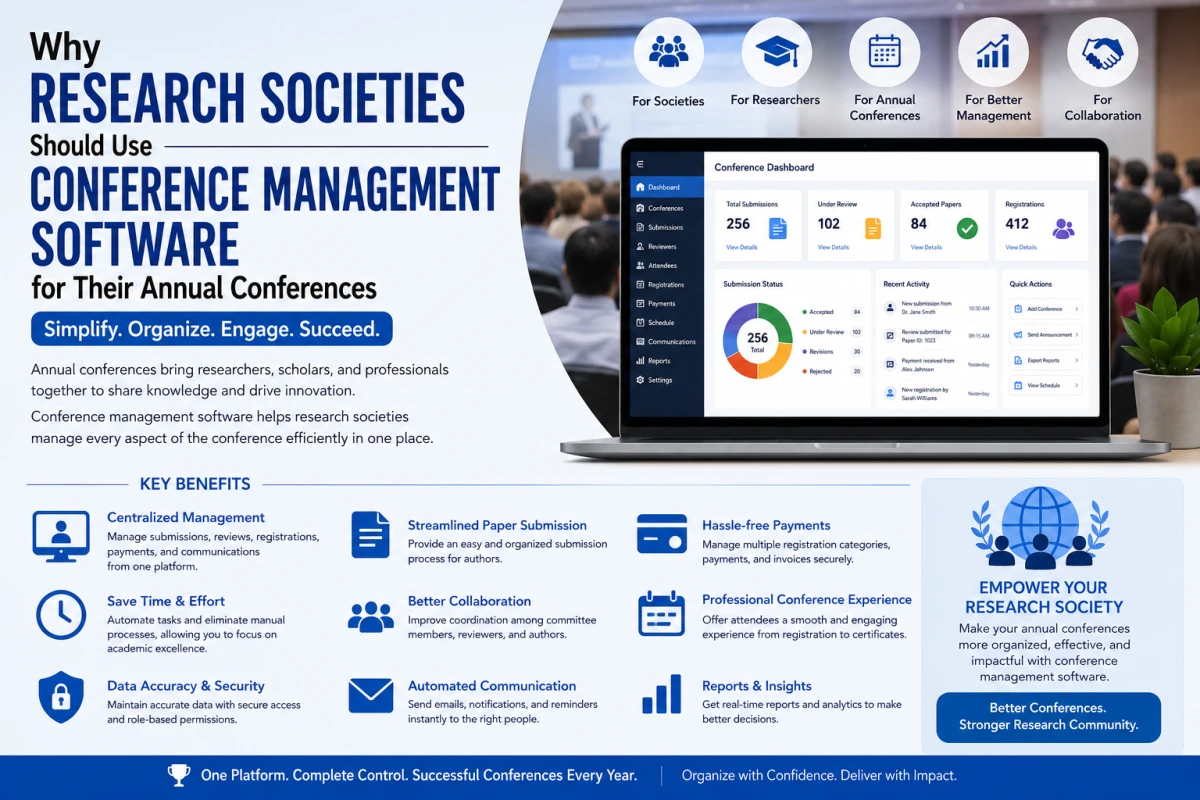
Modern conference management software can combine the conference website with paper submission, peer review, registration, participant management, scheduling, and other academic workflows. This allows conference organizers to focus more on the research event itself instead of managing website development.

Can You Organize a Professional Conference Without a Website Development Team?

Yes. A professional conference does not necessarily require a dedicated team of developers to build a website from scratch.

Conference management platforms can provide ready-to-use tools for creating conference pages, publishing event information, accepting research submissions, managing peer review, collecting registrations, and publishing conference programs.

The important distinction is between a traditional website and an academic conference management platform.

A traditional website mainly publishes information. A conference management platform can also manage the workflows that happen behind that website.

Why Building a Conference Website From Scratch Can Be Difficult

A custom conference website may appear straightforward at first. However, an academic conference usually needs much more than a few informational pages. A complete conference website may need to support:

Conference informationCall for PapersResearch paper submissionAbstract submissionAuthor accountsReviewer workflowsPeer reviewAcceptance decisionsRegistrationOnline paymentsParticipant managementSpeakers and sessionsConference programVenue and travel informationConference proceedingsAnnouncements and notifications

Developing every component independently can require coordination between conference organizers, designers, developers, payment providers, and administrators.

What Does a Professional Conference Website Actually Need?

A professional conference website should do more than look attractive. It should help researchers and participants complete important tasks easily. A useful conference website should clearly provide:

  • What the conference is about
  • Who is organizing it
  • Important dates and deadlines
  • Call for Papers
  • Submission requirements
  • Registration information
  • Conference fees
  • Venue or online-event information
  • Speakers and committee information
  • Program and schedule
  • Contact information
  • Submission and registration access

The website should also make important actions easy to find. A researcher should not have to search through several pages to discover where to submit a paper or register for the conference.

Website vs. Conference Management Platform

A website and a conference management system serve different purposes.

Traditional Conference WebsiteConference Management Platform
Publishes conference informationPublishes information and manages conference workflows
May require developer supportCan provide built-in administration tools
Forms may require separate toolsSubmission and registration can be integrated
Paper submission may require another systemResearch paper submission can be built into the workflow
Peer review may require another platformPeer review can be connected to submissions
Program may be maintained separatelyProgram and session information can be connected to submissions
Data may be distributed across toolsConference information can be centralized

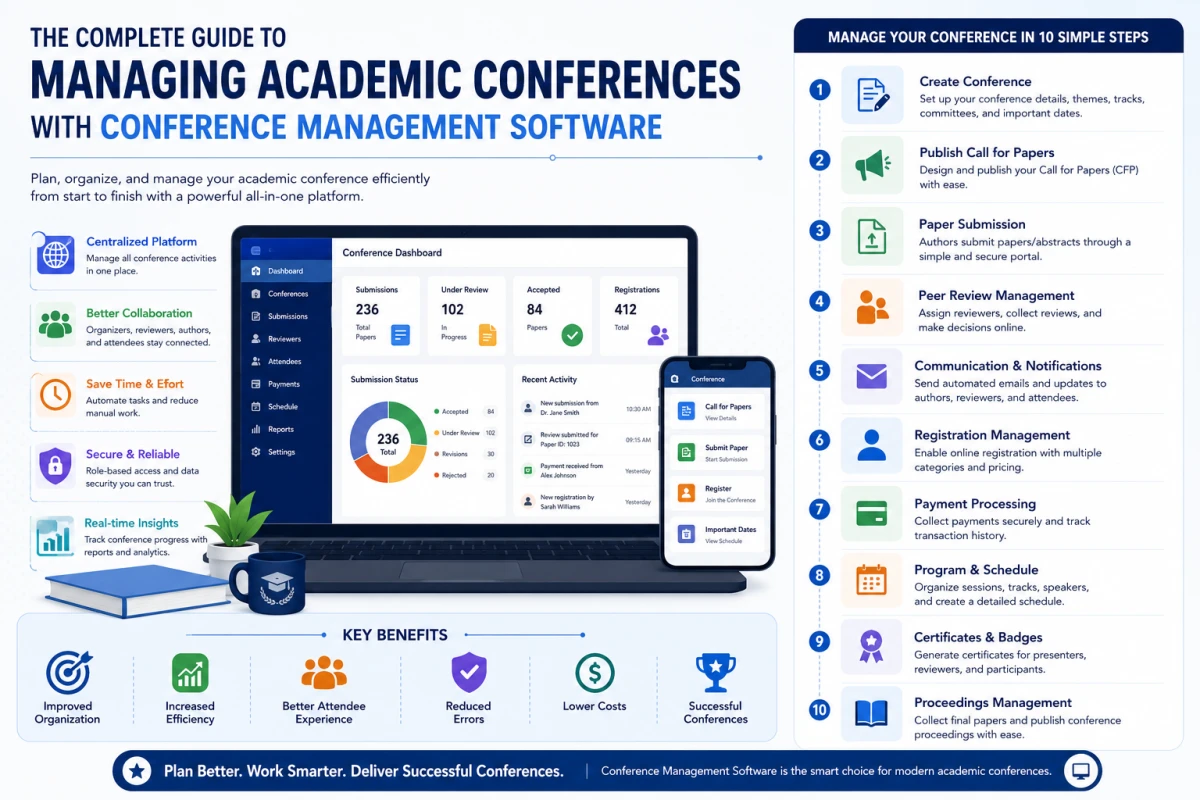
How to Organize a Conference Without Hiring Developers: 15 Steps

The easiest approach is to use a conference management platform that combines website publishing and conference administration. The following workflow can help universities and research organizations launch a professional conference without building every component from scratch.

Phase 1: Plan and Launch the Conference Website

1. Define the Conference Structure

Before creating the website, define the basic structure of the conference. Start with:

Conference nameConference themeResearch areasOrganizing institutionConference datesVenueSubmission deadlinesRegistration deadlinesConference committeeContact information

Having this information ready makes it easier to build the conference website and configure the related submission and registration workflows.

2. Create the Conference Website

Instead of developing a website from the ground up, organizers can use a conference management platform with built-in website capabilities. A professional conference website should normally include:

Home pageAbout the conferenceCall for PapersImportant datesSubmission guidelinesRegistration informationConference programSpeakersOrganizing committeeVenue informationContact page

A platform with editable conference pages can allow organizers to update this information without asking a developer to change every page.

3. Add Your Conference Branding

A professional conference website should reflect the identity of the university, research society, department, or organizing institution. Branding elements can include:

Conference logoInstitution logoConference colorsTypographyConference bannerResearch themesSpeaker images

The goal is not to make the website visually complicated. The design should make important conference information easy to understand and important actions easy to find.

4. Publish a Clear Call for Papers

The Call for Papers is often one of the most important pages on an academic conference website because it explains what researchers can submit. A strong CFP page should explain:

  • Conference scope
  • Research topics
  • Submission types
  • Formatting requirements
  • Submission deadline
  • Review process
  • Notification date
  • Camera-ready deadline
  • Registration deadline
  • Publication or proceedings information

Clear submission information can reduce repetitive questions from authors and make the conference easier to participate in.

Phase 2: Submissions, Peer Review, and Decisions

5. Enable Online Research Paper Submission

A professional academic conference website should provide a clear path from reading the Call for Papers to submitting research. A dedicated research paper submission system can collect:

Paper titleAbstractKeywordsAuthor informationInstitutional affiliationResearch areaManuscript filesSubmission metadata

This is more efficient than asking authors to email documents to organizers and manually maintaining a spreadsheet of submissions. Learn how to manage research paper submissions for an academic conference.

6. Manage Peer Review Without Building a Separate System

Academic conferences often require a structured peer-review process. Building a separate review application can add considerable development and maintenance work. A conference management system can provide workflows for:

Reviewer accountsReviewer invitationsPaper assignmentReview formsReview scoresReviewer commentsReview statusAcceptance decisions

For conferences using blind or double-blind review, the platform should also support the review model specified by the organizing committee. See how a blind peer review system works.

7. Manage Authors and Decisions

Once reviews are completed, conference organizers need to communicate decisions to authors. Typical decisions include:

AcceptedAccepted with revisionsRejectedPoster presentationOral presentation

A centralized workflow can keep the decision connected to the original paper and its authors.

Phase 3: Registration and Payments

8. Add Online Conference Registration

Once researchers and participants discover the conference, they need a simple way to register. Registration may need to support different participant categories:

AuthorStudentResearch scholarFaculty memberIndustry participantSpeakerDelegate

An integrated registration system can connect participant information with accepted papers, authors, presentations, and other conference records.

9. Manage Payments and Registration Status

Conferences with registration fees need a reliable way to track participant registration and payment status. Depending on the registration workflow, organizers may need to identify:

Registered participantsPending registrationsPaid registrationsFailed paymentsCancelled registrationsAuthors who have not registered

Connecting registration records with participant and paper information can reduce manual reconciliation.

Phase 4: Program, Speakers, and Ongoing Updates

10. Build the Conference Program

After papers are accepted and presenters are confirmed, organizers can create the conference program. A conference program may include:

TracksSessionsPaper presentationsKeynote sessionsInvited speakersPanel discussionsWorkshopsRoomsPresentation times

An integrated program builder can reduce the need to manually copy information from submission spreadsheets into separate program documents.

11. Publish Speakers and Organizing Committee Information

Professional academic conferences should clearly identify their speakers, organizers, and committee members. Speaker or committee pages may include:

NameDesignationInstitutionResearch areaBiographyProfile imageSession information

Clear speaker and committee information also helps participants understand the academic credibility and focus of the conference.

12. Keep Conference Information Updated Without Developers

Conference information changes frequently. For example:

  • Submission deadlines may change
  • Registration deadlines may be extended
  • Speakers may change
  • Rooms may change
  • Presentation times may change
  • Conference schedules may be updated
  • Important announcements may need to be published

If every change requires a developer, organizers can become dependent on a separate technical team.

A conference platform with administrative editing tools allows authorized organizers to make routine content changes themselves.

13. Manage Multiple Conference Pages From One System

Universities and research societies often organize more than one conference, symposium, workshop, or research event.

Instead of creating a completely separate technical setup for every event, an academic conference management platform can provide a repeatable structure for creating and managing multiple conferences.

This can make it easier for an institution to maintain consistent conference workflows while allowing individual events to have their own information and branding.

Phase 5: Discoverability and the Connected Workflow

14. Make the Conference Website Search-Friendly

A professional conference website should also be easy for researchers to discover through search engines. Important SEO fundamentals include:

Use a descriptive page title

Write a useful meta description

Use descriptive headings

Keep important conference information in HTML text

Use descriptive URLs

Create crawlable internal links

Use descriptive image alt text

Maintain a logical site structure

Include important pages in the XML sitemap

Avoid duplicate conference pages

Google currently recommends people-first content and clear technical structures for both traditional Search and AI-powered Search experiences. Important content should be accessible in textual form and pages should be discoverable through crawlable links.

15. Connect the Website With the Complete Conference Workflow

The biggest advantage of using conference management software is that the website does not have to exist separately from the conference administration system. A connected workflow can look like:

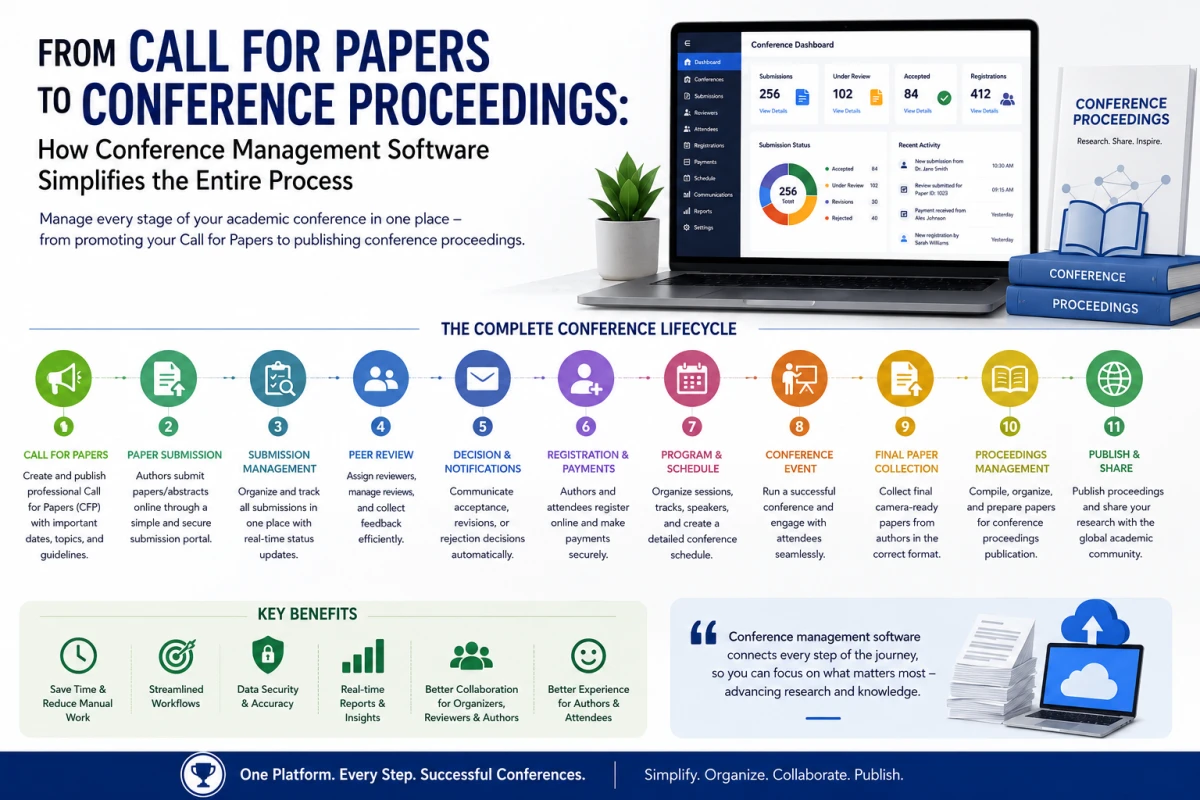
Conference Website → Call for Papers → Paper Submission → Peer Review → Decision → Registration → Program → Presentation → Proceedings

When these stages use connected data, organizers can spend less time moving information between different systems.


Traditional Website Development vs. Conference Management Software

RequirementCustom Website DevelopmentConference Management Software
Conference pagesUsually developed or configured separatelyBuilt into the platform
Call for PapersRequires page creationCan be published as part of conference setup
Paper submissionRequires form/system integrationCan be built into the conference workflow
Peer reviewUsually requires additional functionalityCan be integrated with submissions
RegistrationMay require separate forms or integrationsCan be integrated into the platform
ProgramOften maintained separatelyCan be connected to submissions and sessions
Routine content updatesMay require technical supportCan often be managed by authorized organizers

What Features Should You Look for in Conference Management Software?

If the objective is to avoid hiring a separate website development team, the platform should provide more than an event landing page. For the full list, see the 10 essential features of a modern conference management system.

Conference Website Builder

Look for tools that allow organizers to publish conference information, important dates, speakers, program details, and announcements.

Research Paper Submission

Authors should be able to submit research papers or abstracts through a structured online workflow.

Peer Review Management

The platform should support reviewer assignment, review collection, evaluation, and decision workflows appropriate for the conference.

Registration Management

Registration should support participant categories, forms, payment status, and participant information.

Program and Scheduling

Organizers should be able to create sessions, tracks, presentations, and schedules without maintaining separate documents.

Participant Management

The system should allow organizers to manage authors, attendees, speakers, reviewers, and committee members.

Communication

Automated notifications and announcements can reduce repetitive communication work for conference committees.

Proceedings Management

The platform should provide a way to manage final papers and other proceedings information after acceptance.


How ScholarMeet Can Help Organize a Professional Conference

ScholarMeet is an academic conference platform designed to help organizations manage conference activities through a centralized system. Depending on the conference workflow, organizers can use ScholarMeet for:

  • Website & setup – conference creation and management, and conference information publishing.
  • Submissions & review – research paper submission, author management, reviewer management, peer-review workflows, and paper evaluation and decisions.
  • Registration & participants – conference registration, participant management, and conference communication.
  • Program & proceedings – program and scheduling workflows and proceedings-related management.

The benefit of this approach is that organizers do not have to treat the conference website, paper submission process, and participant registration as completely separate projects. See how ScholarMeet compares in ScholarMeet vs EasyChair vs Microsoft CMT.

Who Can Organize Conferences Without a Dedicated Web Team?

A conference management platform can be useful for organizations that do not have an internal web-development team dedicated to every academic event.

UniversitiesCollegesResearch institutesAcademic departmentsResearch societiesScientific organizationsMedical organizationsEngineering institutionsTechnical research communitiesProfessional associationsIndependent conference committees

Conference Website Launch Checklist

Before publishing a professional conference website, organizers should verify the following:

Conference name and description are complete

Organizing institution is clearly identified

Conference dates are published

Important deadlines are visible

Call for Papers is available

Submission guidelines are clear

Paper submission works correctly

Peer-review workflow is configured

Registration form is working

Registration fees are clearly displayed

Payment process has been tested

Speaker and committee information is accurate

Venue information is available

Conference program is accessible when published

Contact information is easy to find

Important pages are internally linked

Page titles and descriptions are optimized naturally

Images have descriptive alt text

Conference URLs are crawlable

The conference sitemap is updated

Common Mistakes to Avoid

Using Too Many Separate Tools

Using one tool for the website, another for submissions, another for registration, another for payments, and spreadsheets for participant management can create unnecessary administrative complexity.

Making the Website Only About the Event

An academic conference website should also explain the research submission, review, registration, and participation processes clearly.

Hiding Important Information

Important dates, submission requirements, registration information, and contact details should be easy to find.

Depending on Developers for Every Small Update

Conference deadlines and event information can change frequently. Giving authorized organizers the ability to update routine information can reduce unnecessary technical dependency.

Creating Duplicate Conference Pages

Avoid publishing multiple URLs containing substantially identical conference information. Maintain one preferred URL for each conference and update it when appropriate.

Launch Your Conference Website Without a Dev Team

Create your conference page, open submissions, run peer review, and take registrations, all from one platform.

hello@scholarmeet.com


Frequently Asked Questions

Can I create a professional conference website without hiring a developer?

Yes. Conference management platforms can provide tools for creating conference pages and managing submissions, registration, peer review, scheduling, and other conference activities without requiring organizers to build every component from scratch.

What is the difference between a conference website and conference management software?

A conference website primarily publishes event information. Conference management software can combine the website with research paper submission, peer review, registration, participant management, scheduling, and other conference workflows.

Can universities create conference websites without a web development team?

Yes. Universities can use conference management software that provides configurable conference pages and administrative tools for managing event information and academic workflows.

Can conference software manage research paper submissions?

Many academic conference management platforms provide research paper or abstract submission functionality, allowing organizers to collect and track submissions online.

Can a conference website include peer review?

Yes. Academic conference platforms can connect the public conference website with submission and peer-review workflows, depending on the platform's features.

Can I manage conference registration and paper submission in one system?

Yes. An integrated conference management system can connect paper submissions, authors, acceptance decisions, registration, and participant records.

How can conference organizers update the website without developers?

Platforms with built-in content management tools allow authorized organizers to update conference descriptions, dates, announcements, speakers, programs, and other information directly through an administrative interface.

Is conference management software suitable for universities?

Yes. Universities and research institutions can use academic conference management software to coordinate conference websites, submissions, peer review, registration, participants, programs, and proceedings.

Does a conference website need to be custom developed?

Not necessarily. A custom website can be useful when an organization has highly specific technical requirements, but many conferences can use a specialized conference management platform instead of developing every conference function from scratch. Our guide on choosing the best conference management tool can help.

How can a conference website become easier for researchers to discover?

Organizers should publish useful conference information as crawlable HTML, use descriptive titles and headings, create clear internal links, maintain a logical URL structure, and ensure important pages are included in the site's sitemap. These fundamentals also support Google's AI-powered search experiences.


Conclusion

Organizing a professional academic conference does not necessarily require hiring a separate website development team.

With the right conference management software, universities, colleges, research institutes, and conference committees can create a professional conference presence while also managing research paper submission, peer review, registration, participants, scheduling, communication, and proceedings.

The most effective approach is to treat the conference website as part of the complete academic conference workflow rather than as a standalone website.

Conference Website → Call for Papers → Paper Submission → Peer Review → Decision → Registration → Program → Presentation → Proceedings

By connecting these stages through one platform like ScholarMeet, organizers can reduce dependence on separate technical systems and spend more time focusing on the research, participants, and overall success of the conference.

Related Guides

conference management software professional conference management conference website software conference registration software academic conference software conference organization software conference management system online conference registration

Related Posts

Let's Talk

Have a question, a story idea, or just want to say hello? We'd love to hear from you.